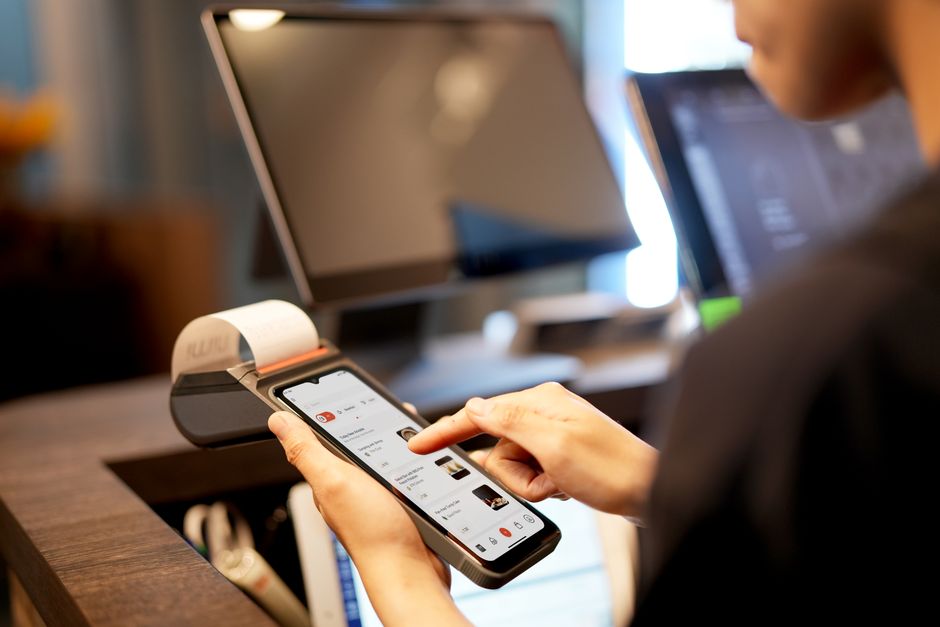
How to Keep Your Phone and Apps Updated for Safer Payments
Making payments through your phone has become the norm rather than the exception. From buying your morning coffee to paying rent, most people expect a seamless, secure checkout experience right from their device. But with great convenience comes responsibility — especially when it comes to keeping your phone and payment apps updated to reduce the risk of fraud and data breaches.
In this post, we’ll break down why device updates and app updates are vital for safer payments, how digital wallets and saved payment methods fit into the picture, and what best practices align with the latest guidance from security authorities like the UK’s National Cyber Security Centre (NCSC). Whether you use Apple Pay, Google Pay, Visa saved cards, or PayPal, we’ll cover the key points you need to know for protecting both your money and your peace of mind.
Why Phone and App Updates Matter for Payment Security
Updating your phone’s operating system and your payment apps might seem like a routine chore, but behind those notifications are critical security improvements. Developers constantly find and patch vulnerabilities that cybercriminals could exploit. The NCSC explicitly advises users to install updates promptly to protect against emerging threats.
Security Patches and Vulnerability Fixes
Each OS update (for iOS or Android) includes security patches that fix known software exploits. These patches close the doors that hackers might try to sneak through. Similarly, app updates refine payment processes, encrypt sensitive data better, and improve authentication methods. Ignoring updates leaves your device open to known exploits — like outdated browsers enabling phishing or app versions storing unencrypted payment data.
Compatibility with New Payment Features
Payment providers continuously innovate. Device and app updates ensure you can use the latest security features — such as biometric authentication or risk-based fraud detection — without hiccups. They also guarantee that your phone complies with financial industry standards, avoiding checkout errors or declined transactions caused by incompatible software versions.
Device Updates: What to Know and How to Stay Current
Both Android and iOS release periodic updates, varying from significant OS upgrades to smaller security patches. Staying on top of them is the first line of defense for safer mobile payments.
How to Check for Updates
- On iPhone: Go to Settings > General > Software Update. The device will check for available updates and prompt you to download and install them.
- On Android: Steps may vary by manufacturer:
- Open the Settings app.
- Tap System or About phone.
- Choose Software update or System update.
Enable Automatic Updates
Modern devices allow you to schedule or enable automatic updates, which is highly recommended. This ensures you read more receive critical security fixes without manual intervention, reducing the risk of accidentally falling behind.
NCSC Guidance on Device Updates
The UK’s National Cyber Security Centre formally recommends:
- Applying security updates promptly (within a day or two of release)
- Backing up your data regularly before major OS upgrades
- Using a device supported by the manufacturer and avoiding outdated models that no longer receive patches
App Updates: Staying Secure with Digital Wallets and Saved Payment Methods
Mobile payments rely heavily on apps like Apple Pay, Google Pay, PayPal, and banking apps that store your payment instruments. Kept updated, these apps fix bugs, enhance encryption, and incorporate multi-factor authentication methods.
Digital Wallets and Their Security Importance
Digital wallets are apps that securely store your payment credentials and let you pay without entering your card details every time. Examples include Apple Pay, Google Pay, Samsung Pay, and PayPal’s mobile app.
These wallets use technologies like tokenization, where your real card number is replaced with a randomized token, drastically reducing the risks of data theft during transactions. Updates ensure that tokenization stays robust and that the app can integrate new biometric or hardware security features.
Saved Payment Methods: Convenience Meets Risk
Many e-commerce and subscription services store your Visa, Mastercard, or American Express details to let you pay quickly on repeat purchases. While convenient, this also makes timely app updates essential. Vendor apps or browsers with outdated code can expose stored payment info to breaches.
Make sure you keep apps like Amazon, Netflix, PayPal, or your banking app updated. Also, consider periodically reviewing saved payment methods and removing outdated cards or unused accounts to minimize exposure.
How to Update Your Payment Apps
- Open your phone’s app store: App Store for iOS or Google Play Store for Android.
- Tap on your profile icon and look for Updates or Manage apps & devices.
- Check for updates to digital wallet and banking/payment apps.
- Tap Update on relevant apps.
Enabling automatic app updates is just as important as OS updates and usually found in the same app store settings.
Mobile UX: Streamlining Payment While Keeping You Informed
One of the reasons mobile payments have taken off is the frictionless experience — fast checkout with just a few taps. But a smooth user experience (UX) can’t come at the expense of clarity and security awareness.

Fewer Steps, Clear Totals
Modern checkout designs emphasize reducing steps: You choose your product, tap your saved payment method or digital wallet, authenticate (usually biometrically), and confirm. However, UX best practices require showing you clear totals before you authorize the payment. This transparency is vital to avoid accidental overcharges or fraudulent transactions.
Many apps show a concise payment summary detailing the item costs, taxes, and total charged amount right before authentication. This step guards against “clickjacking” attacks where a different transaction amount is processed than you expected.
Multi-Factor Authentication and Biometrics Reducing Friction
Biometric options such as Face ID, Touch ID, or Android fingerprint scans have become standard. They combine security with ease — letting you authorize payments quickly without typing in passwords or PINs every time.
Biometrics, integrated into device and app updates, significantly reduce user friction while keeping payments secure, making phone-first checkouts both safe and user-friendly. Plus, these features comply with payment regulations like PSD2’s Strong Customer Authentication requirements.
Step-by-Step Guide: Keeping Your Phone and Apps Updated for Safer Payments
Step Description Why It Matters 1. Enable Automatic OS Updates Turn on automatic updates in your phone settings, so security patches install promptly. Keeps your device protected against new vulnerabilities without manual effort. 2. Enable Auto-App Updates Allow your app stores to update apps automatically, especially payment and banking apps. Ensures you always use secure and latest payment software versions. 3. Regularly Review Saved Payment Methods Check stored cards in your banking apps, digital wallets, and merchant apps; remove outdated cards. Reduces risks of exposure if accounts are compromised or cards expire. 4. Use Biometrics for Payment Authentication Set up fingerprint or face recognition on your phone and enable it for payments. Makes payment authentication strong and user-friendly, reducing reliance on passwords. 5. Review App Permissions Check that payment apps only have necessary permissions and no excessive access. Limits risk from malicious apps exploiting permissions to compromise your data. 6. Install Apps Only from Official Stores Download payment tools from Google Play Store, Apple App Store, or official vendor sites. Avoids malicious apps designed to steal payment info or inject malware.Conclusion: Staying Updated Is Your Best Defense
With the rise of phone-first checkout experiences, the convenience of digital wallets and saved payment methods has never been greater. At the same time, this convenience demands staying on top of your device and app updates to maintain strong security. Following the NCSC’s advice to promptly install updates, use biometrics, and regularly review your payment methods arms you with the best defenses against fraud.
Don’t let update notifications become an afterthought. They’re your frontline shield in a constantly evolving threat landscape — and the key to safer, smoother mobile payments every day.